What Microgaming means on piggy
Microgaming is a software provider that powers a subset of our slot catalogue. On piggy, we license Microgaming titles alongside games from other providers to give our players variety. Each Microgaming game has its own mechanics, payout table, and bonus structure — so exploring the collection helps you find games that match your play style.
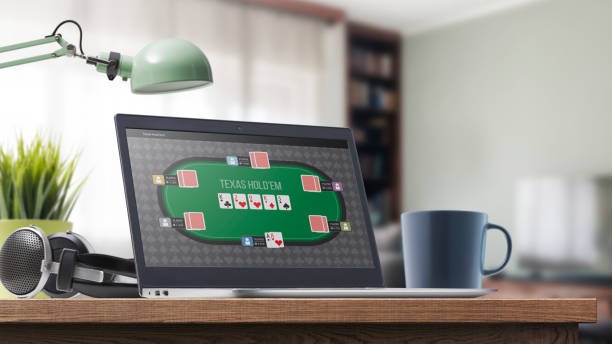
The key feature we emphasize is the free demo mode. Before you open an account or deposit funds, you can load any Microgaming title in demo mode and spin for free. This lets you see how the game behaves, understand the bonus triggers, and decide whether you want to play for real stakes. Demo mode uses virtual credits, so there is no financial risk.

How to access Microgaming demo mode
You do not need to log in or verify your account to access demo mode. From our piggy homepage, navigate to the Slots section, find the Microgaming category, and select any title. A button labeled "Play Demo" or "Free Play" appears on the game card. Click it, and the game loads in your browser with virtual credits.
Demo sessions are unlimited — you can spin as many times as you want, and your virtual balance resets if you close and reopen the game. This is purely for exploration. When you are ready to play for real stakes, you close the demo, return to the game card, and select "Play for Real" — which prompts you to log in or create an account.
Demo mode is risk-free exploration
Virtual credits in demo mode have no cash value. Wins and losses in demo do not affect your real account balance. Demo mode is purely educational.
Understanding Microgaming payout tables and mechanics
Each Microgaming title displays a payout table accessible from the game menu. The table shows which symbol combinations pay, how much each combination pays (relative to your stake), and what triggers the bonus round. Bonus rounds vary — some games offer free spins, others offer multiplier stacks or expanding wilds.
Demo mode is the ideal place to learn these mechanics. You can trigger bonus rounds repeatedly, see how they behave, and understand the game's rhythm before risking real money. This is especially useful if you are new to slots or exploring a Microgaming title for the first time.
One term you will encounter is "volatility" — this describes how often a game pays and how large those payouts tend to be. Low-volatility games pay frequently but in smaller amounts. High-volatility games pay less often but in larger amounts. Demo mode lets you feel the difference firsthand.
Moving from demo to real-money play
Once you have explored a Microgaming title in demo and decided you want to play for real stakes, the next step is account creation. You will need to provide an email address, set a password, and complete identity verification (KYC). This process typically takes one business day.
After verification, you choose a payment method. We accept five major e-wallets (DANA, e-wallet, mobile banking, local payment, online payment), e-wallet transfers, and virtual accounts from Indonesia's four largest banks (mobile banking, local payment, online payment, e-wallet). Select whichever suits your routine, make your first deposit, and your account balance updates.

Once your account is funded, you log in, navigate to the Microgaming title you explored in demo, and select "Play for Real". Your real account balance replaces the virtual credits, and each spin deducts from your balance. All session history is recorded in your account so you can review past activity anytime.
Microgaming tournaments and scheduled events
Like all our slot titles, Microgaming games participate in our daily and weekly tournament structure. We publish tournament schedules in advance so you know when events run. A typical daily tournament runs a 24-hour window; weekly tournaments span seven days. Monthly tournaments often have themed names and may combine multiple game providers.
Tournaments are optional — you can play Microgaming titles outside tournament windows whenever you choose. But if you want to compete on leaderboards and track your progress against other players, tournaments provide that structure. We do not make promises about tournament payouts; instead, we describe the rules plainly so you understand what you are joining.
Demo mode is our way of letting you make an informed choice before committing real money to any Microgaming title.
Payment flows and withdrawal from Microgaming play
Your winnings from Microgaming games sit in your piggy account balance. To convert that balance to cash, you initiate a withdrawal through your account settings. We process withdrawals back to your original deposit method — if you funded via mobile banking, your withdrawal returns to local payment; if you used a online payment virtual account, it returns there.
Processing windows vary by payment method. E-wallet withdrawals typically complete within a few hours, subject to account verification checks. Bank transfers may take one to two business days depending on your bank's processing schedule. We do not guarantee fixed times; these are typical windows. During peak holiday periods (Idul Fitri, Idul Adha, Imlek, Nyepi), processing may extend slightly.
-
1
Explore in demo modeStep 1
Load any Microgaming title in free demo mode to understand mechanics and payout tables.
-
2
Create and verify your accountStep 2
Register with email, set a password, and upload KYC documents. Verification typically takes one business day.
-
3
Fund your accountStep 3
Choose a payment method (e-wallet, mobile banking, local payment, online payment, e-wallet, mobile banking, or bank transfer) and make your first deposit.
-
4
Play for real stakesStep 4
Log in, select your Microgaming title, and play with your real account balance.
Account security and data handling
Your piggy account is protected by standard encryption (TLS) and optional two-factor authentication. We store identity and payment data separately and do not share user information with unrelated third parties. Our privacy policy and terms of service are published on our site so you can review exactly how we handle your data before opening an account.
If you suspect unauthorized access to your account, contact our support team immediately. We can freeze your account, review transaction history, and help you regain control. These processes take time — we do not claim instant resolution — but we treat security incidents as top priority.